When you submit a case to our team, we understand that it's important for you to have visibility and transparency on its status. That's why we have developed an intuitive dashboard within the portal that provides you with a full overview of your cases.
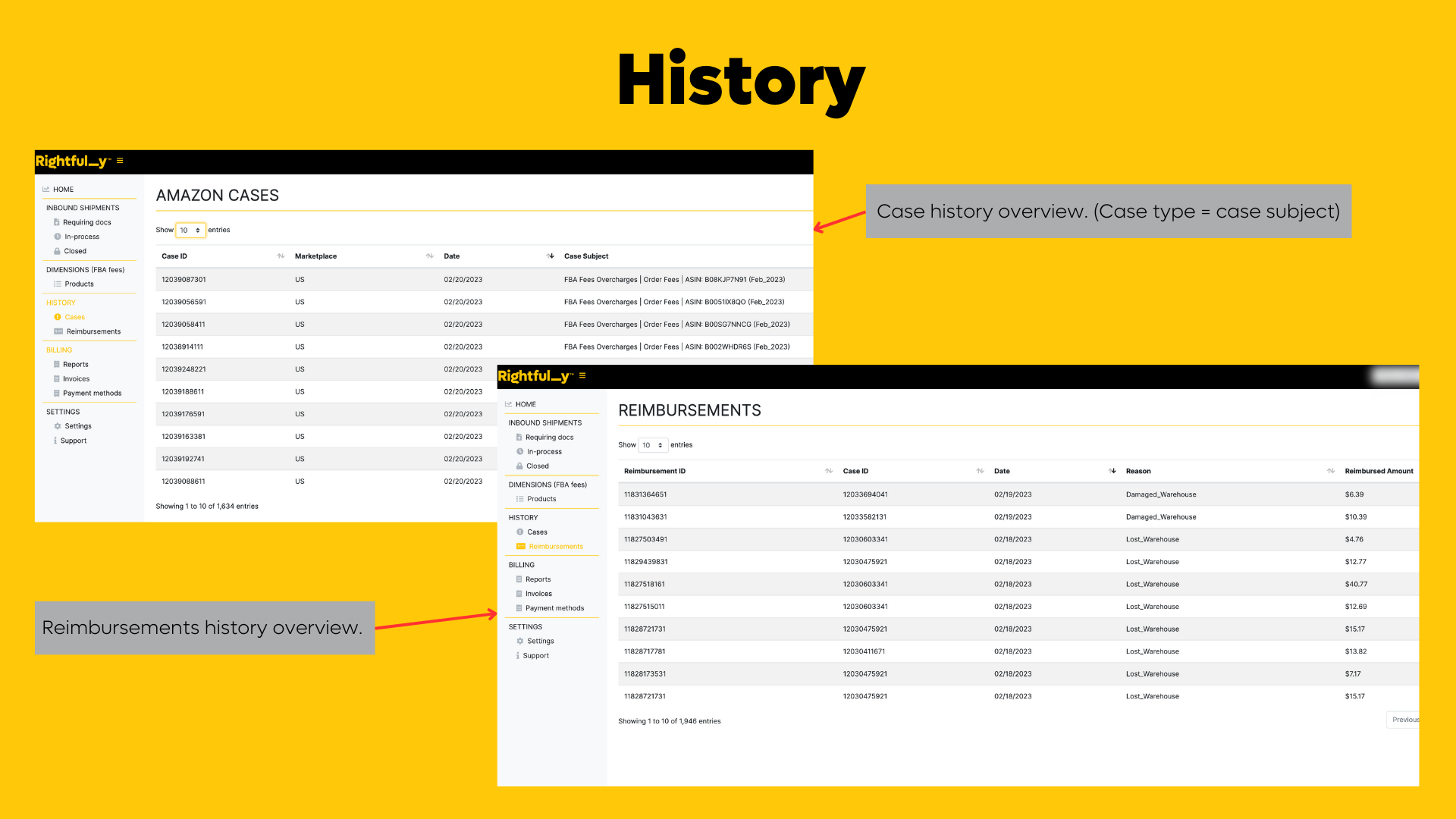
To review your open cases and reimbursements, you can navigate to the "history" module. Here, you will find all the necessary information on your cases, including the status, date opened, and any relevant notes from our team.
The "history" module is organized by case type, making it easy for you to quickly identify and locate specific cases. You can filter cases by status, priority, date range, and even case ID. Additionally, you can sort the cases by clicking on the column headers to see which cases require your immediate attention.
If you want to dive deeper into your reimbursements, you can access your report from the "billing" module. This report provides you with a more detailed overview of your reimbursements, including the amount, date, and type of reimbursement.
To view the reimbursement report, simply navigate to the "billing" module and select the date range you want to review. You can then download the report as a CSV file, making it easy for you to import into your accounting software.
We have also provided a screenshot below to help guide you through the process:
If you have any questions or concerns, please do not hesitate to contact us. Our support team is always here to help you navigate the dashboard and answer any questions you may have.
Was this article helpful?
That’s Great!
Thank you for your feedback
Sorry! We couldn't be helpful
Thank you for your feedback
Feedback sent
We appreciate your effort and will try to fix the article