Thank you for collaborating with us on your inbound cases requiring documentation. We appreciate your effort and commitment to providing the necessary documents to help us resolve your cases as quickly as possible.
To make the process as easy as possible for you, we've created an intuitive dashboard within the portal. When you log in to your portal, simply navigate to the inbound shipment module to get an overview of your cases requiring documentation, those in progress, and those that are closed. You can also download CSV files for your convenience.
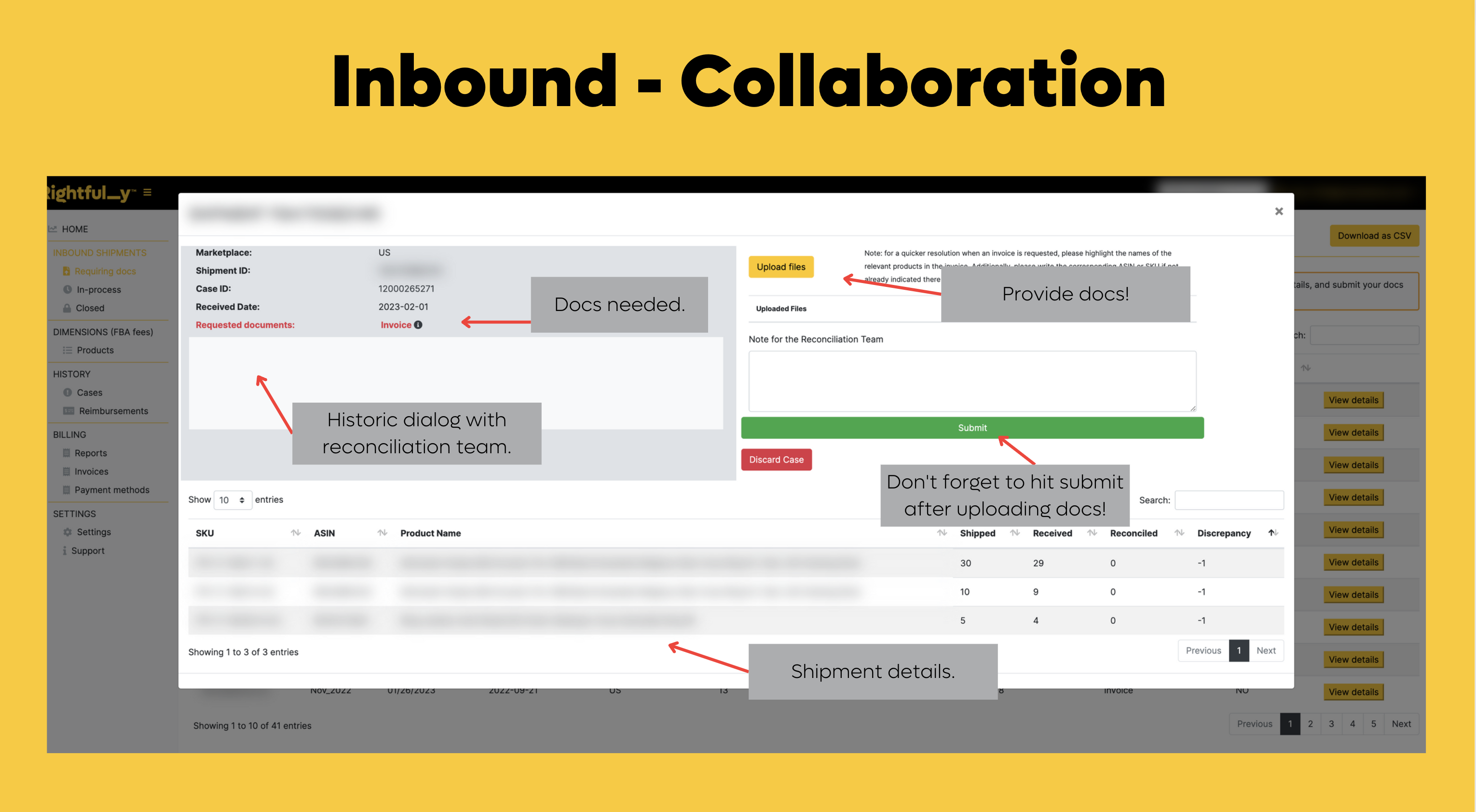
To view more details, click on the "view details" button within the requiring documentation tab. From there, you can see messages from our operations team regarding the requested documentation. You can upload the documents directly in the portal and leave a message to our team if you have any instructions or feedback regarding your uploaded documents. Don't forget to click "submit"!
We understand that you may have additional questions or concerns about the process. If you need further assistance, please feel free to reach out to us anytime. Our team is always happy to help you.
Thank you for collaborating with us, and we look forward to continuing to work together to resolve your cases.
Was this article helpful?
That’s Great!
Thank you for your feedback
Sorry! We couldn't be helpful
Thank you for your feedback
Feedback sent
We appreciate your effort and will try to fix the article