As a valued customer, we understand how important it is for you to have visibility and transparency on the status of your reimbursements and invoices. That's why we have developed an intuitive dashboard within the portal that provides you with a full overview of your reimbursement reports and invoices.
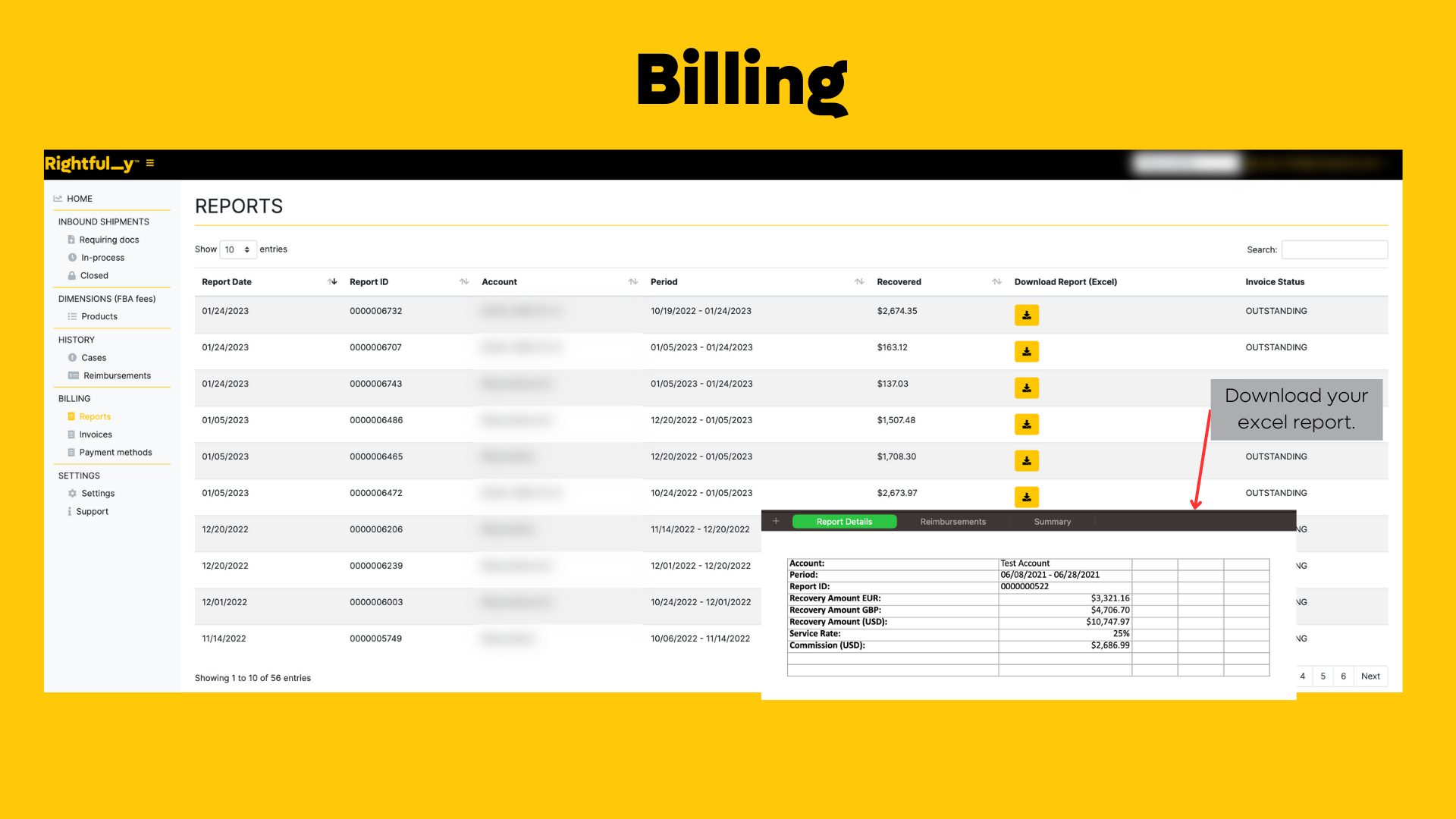
To review your reimbursements or invoices, you can navigate to the "billing" module. Here, you will be able to review and download your detailed reimbursement reports, as well as access your invoice history and pay any outstanding invoices.
The "billing" module is organized by date range, making it easy for you to quickly locate and review your reports and invoices. You can also filter by report type or invoice status, and sort the reports or invoices by clicking on the column headers.
If you want to download a reimbursement report, simply select the date range you want to review and click the "download" button. This will export the report as a CSV file, which you can then import into your accounting software.
If you want to pay an outstanding invoice, simply select the invoice from your invoice history and click the "pay now" button. You can then choose your payment method and confirm your payment.
To streamline your billing process, we recommend setting up a payment method on file. This will allow us to automatically charge your account for any outstanding invoices, so you don't have to worry about manually paying each invoice.
We have provided a screenshot below to help guide you through the process:
If you have any questions or concerns, please do not hesitate to contact us. Our support team is always here to help you navigate the dashboard and answer any questions you may have.
Was this article helpful?
That’s Great!
Thank you for your feedback
Sorry! We couldn't be helpful
Thank you for your feedback
Feedback sent
We appreciate your effort and will try to fix the article