Auto-payments are a convenient way to streamline your billing process and ensure uninterrupted service. In this article, we will guide you through the process of setting up auto-payments and the benefits of having a card on file.
Step-by-Step Guide to Setting Up Auto-Payments:
- Navigate to your portal: Login to your account and find the "Billing" section.
- Click on "Payment Methods": Once you're in the "Billing" section, click on "Payment Methods".
- Select your preferred payment method: Choose your preferred payment method from the options available.
- Save your payment information: Enter your payment information and save it for future use.
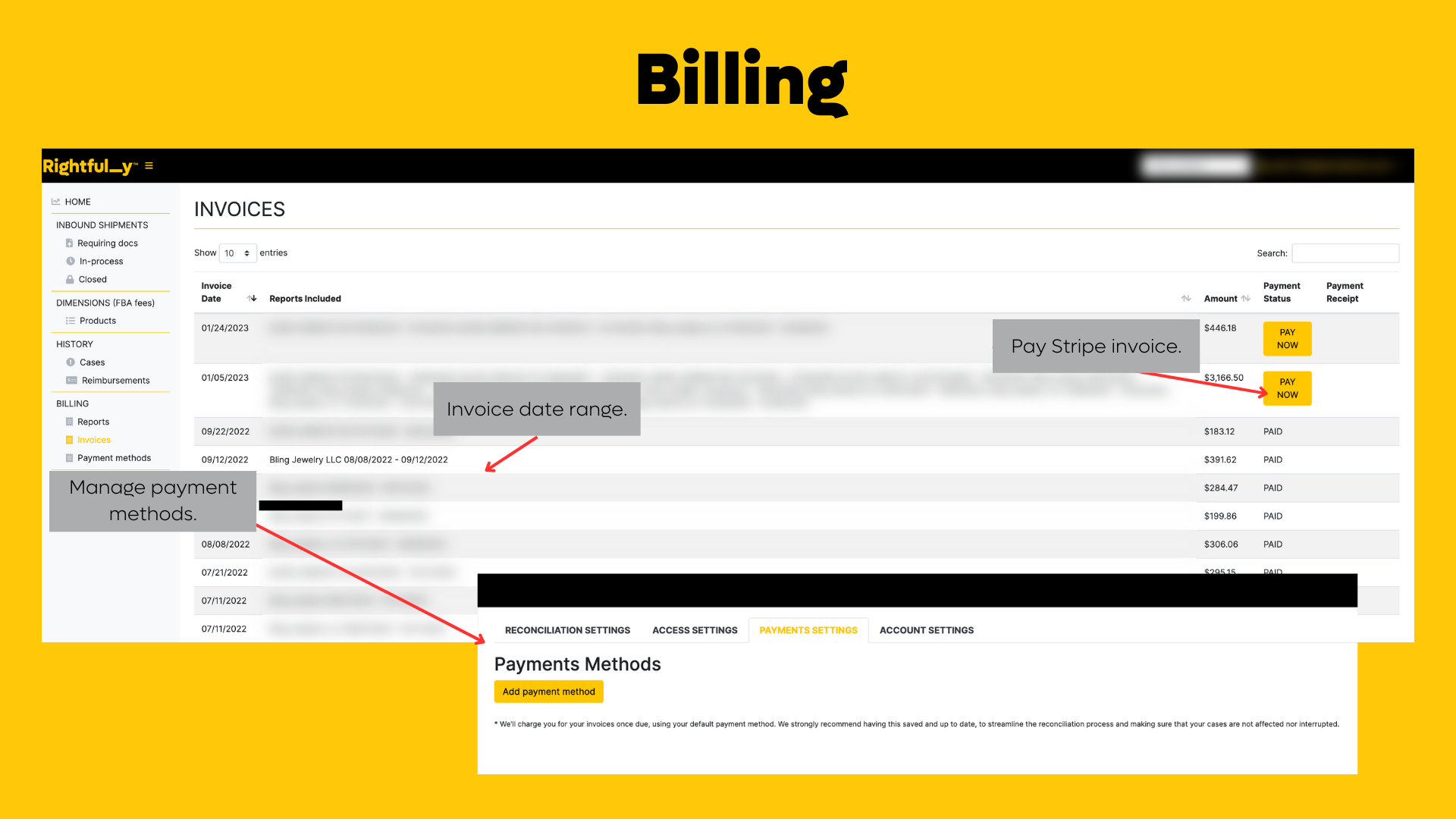
We highly recommend having a card on file to ensure a smoother billing experience. Here are some of the benefits of having a card on file:
- No need to worry about remembering to make a payment each month.
- Reduced back and forth communication between you and our team.
- Faster processing of payments, ensuring uninterrupted service.
- Automatic billing adjustments if there are any changes to your service plan.
Setting up auto-payments is an easy process that can save you time and ensure uninterrupted service. By having a card on file, you can enjoy a smoother billing experience with reduced communication and faster processing of payments. If you need any assistance in setting up auto-payments, don't hesitate to contact our support team. We're here to help you in any way we can.
Was this article helpful?
That’s Great!
Thank you for your feedback
Sorry! We couldn't be helpful
Thank you for your feedback
Feedback sent
We appreciate your effort and will try to fix the article