We appreciate your interest in streamlining your billing process and ensuring uninterrupted service.
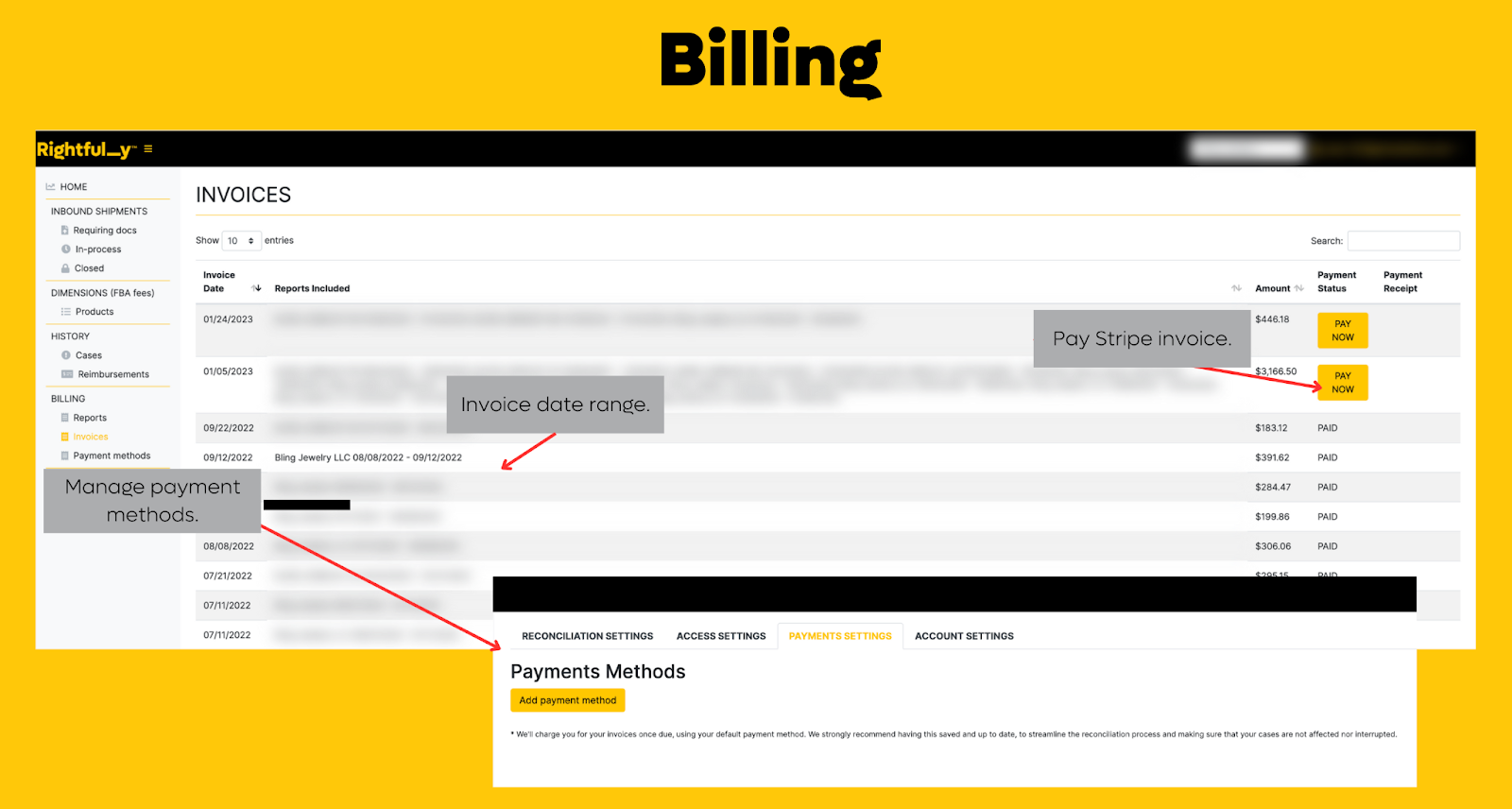
To set up auto-payments, you can easily navigate to your portal and go to the "Billing" section. From there, click on "Payment Methods" to select your preferred payment method.
We highly recommend having a card on file for a smoother billing experience, which can also help to reduce any back and forth communication between us. This way, you can focus on enjoying our services without any interruptions.
When you set up auto-payments, you can choose to have your account charged automatically for any outstanding invoices, or you can set up a specific payment schedule that suits your needs.
To ensure that your auto-payments are set up correctly, we recommend double-checking your payment information to ensure that it is accurate and up-to-date. You can also check your billing history to confirm that all previous payments have been processed correctly.
If you require any assistance in accessing or navigating your portal, please do not hesitate to contact us. Our team is always here to help you in any way we can.
Thank you again for choosing our service, and we look forward to providing you with exceptional service.
Was this article helpful?
That’s Great!
Thank you for your feedback
Sorry! We couldn't be helpful
Thank you for your feedback
Feedback sent
We appreciate your effort and will try to fix the article