While it is possible to send payments outside of Stripe, to ensure a smoother billing experience going forward, we highly recommend having a card on file. Having a card on file can help to reduce any back and forth communication between us and enable you to focus on enjoying our services without any interruptions.
Setting up auto-payments is an easy process that can be done directly from your portal. To do this, simply navigate to the "Billing" section of your portal and click on "Payment Methods." From there, you can select your preferred payment method and set up automatic payments for future invoices.
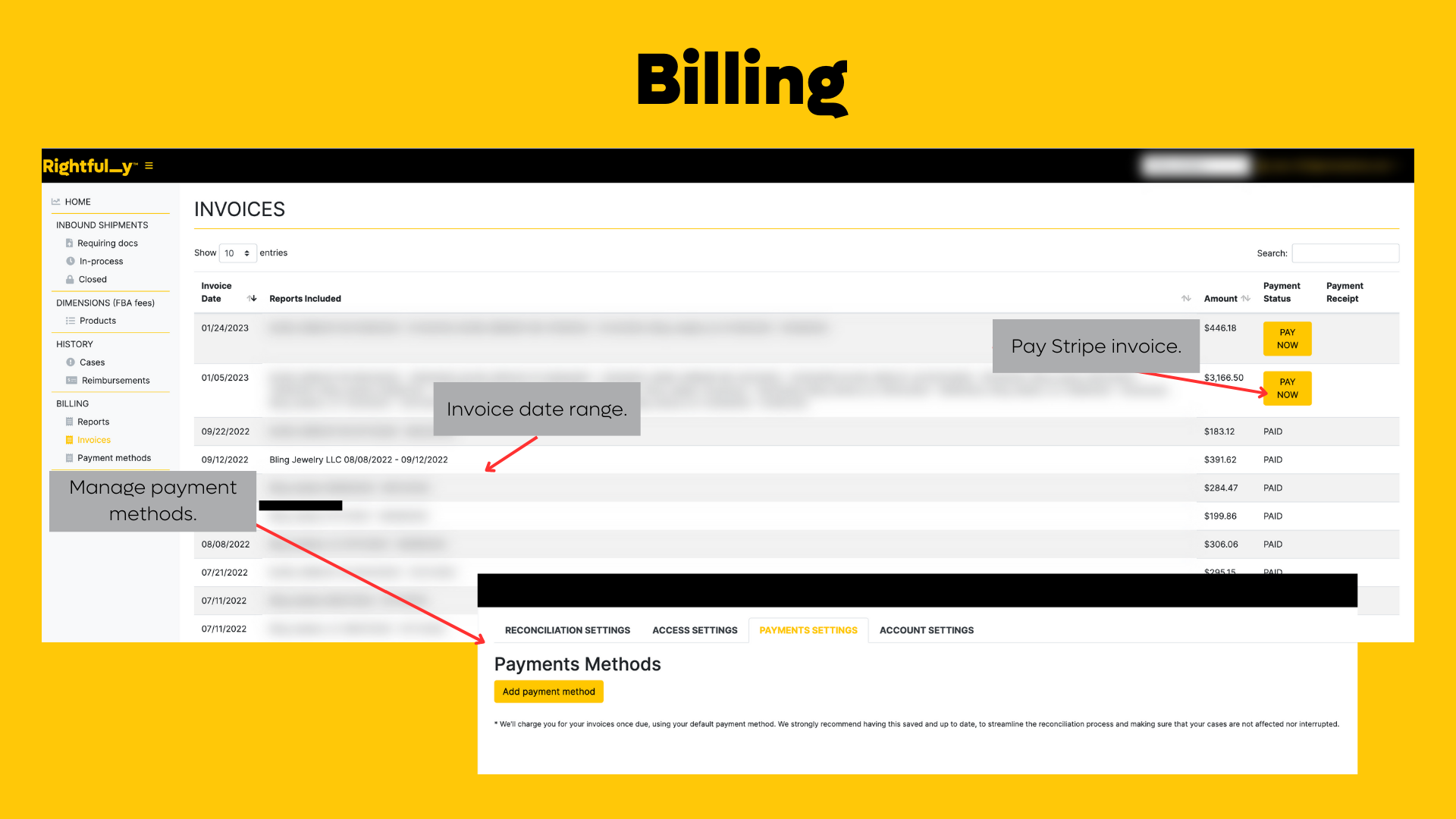
By setting up automatic payments, you can ensure that your invoices are paid on time, every time, without the need for any manual intervention. This can help to reduce the chances of any missed payments, late fees, or interruptions to your services.
If you have any further questions or concerns regarding your payment or account status, please don't hesitate to contact us. Our team is always available to assist you in any way we can.
If you must send payments outside of Stripe, please contact us @ support@teamrightfully.com with confirmation, so we can update your balance in our system.
In conclusion, we want to thank you for choosing our service and for your prompt payment. We hope that this article has been helpful in explaining how to set up auto-payments and how it can benefit you. We look forward to continuing to work with you and providing you with the best possible service.
Was this article helpful?
That’s Great!
Thank you for your feedback
Sorry! We couldn't be helpful
Thank you for your feedback
Feedback sent
We appreciate your effort and will try to fix the article