As a customer, we understand that it's important for you to have easy access to all of your important invoices. In this article, we will explain how you can access and view your invoices directly from your portal.
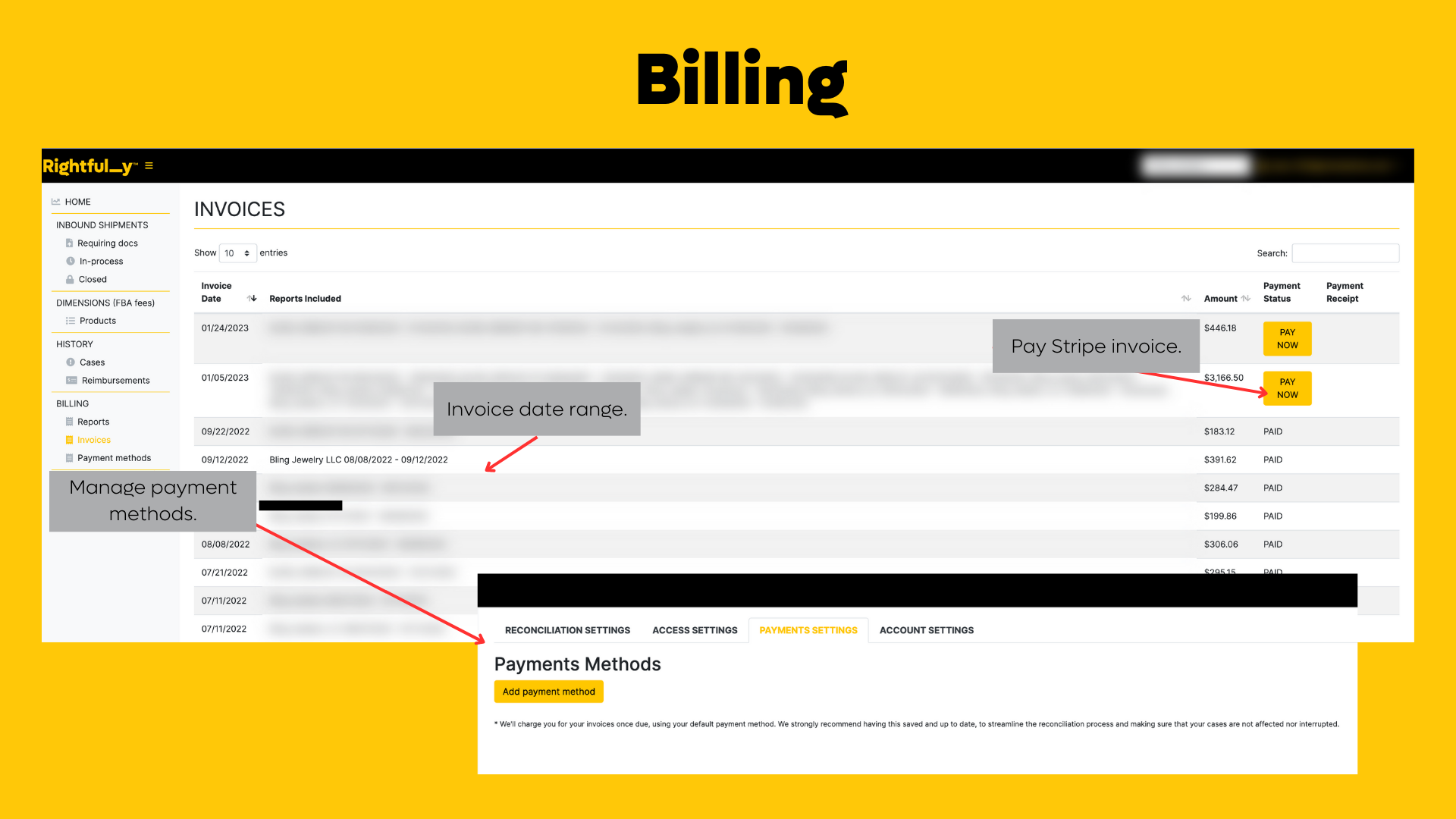
To access and view your invoices from your portal, please follow these steps:
- Log in to your account portal and navigate to the "Billing" section.
- Click on "Invoices" to access links to your open and outstanding invoices.
- Click on the link to the invoice you wish to view.
- The invoice will open in a new window where you can view, download or print it.
Refer to the screenshot below for reference on how to access the Invoices section of your billing portal.
If you encounter any difficulties while accessing or navigating your portal, please don't hesitate to contact our support team for assistance.
Accessing and viewing your invoices from your billing portal is quick and easy. By following the steps outlined in this article, you can easily access all of your important invoices directly from your account portal. If you have any further questions or concerns, please don't hesitate to contact our support team for assistance.
Was this article helpful?
That’s Great!
Thank you for your feedback
Sorry! We couldn't be helpful
Thank you for your feedback
Feedback sent
We appreciate your effort and will try to fix the article