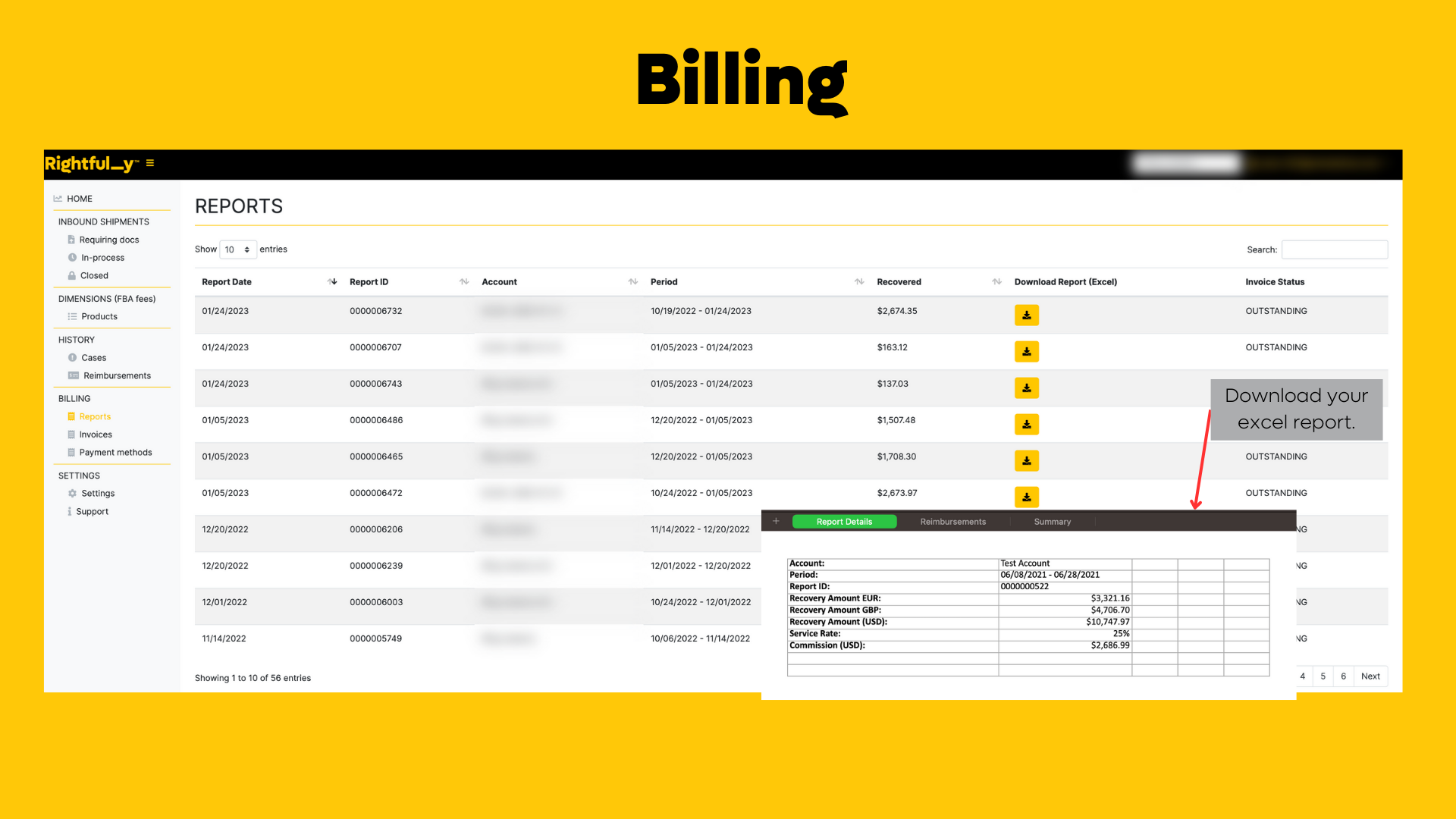
Our billing system accurately tracks the cases we have opened and followed up on, and this information can be found in the reimbursements report. You can locate this report on your invoice or directly on your user portal.
To access your reimbursement report from your portal, simply log in to your account and navigate to the "Reports" section. From there, you can select the "Reimbursements" tab to view all relevant information related to your reimbursements, including the case IDs and details.
If you have any questions or concerns about your reimbursements or billing information, please do not hesitate to contact us. Our team is always happy to help and provide any assistance you may need.
Thank you for choosing our service, and we look forward to assisting you further.
Was this article helpful?
That’s Great!
Thank you for your feedback
Sorry! We couldn't be helpful
Thank you for your feedback
Feedback sent
We appreciate your effort and will try to fix the article